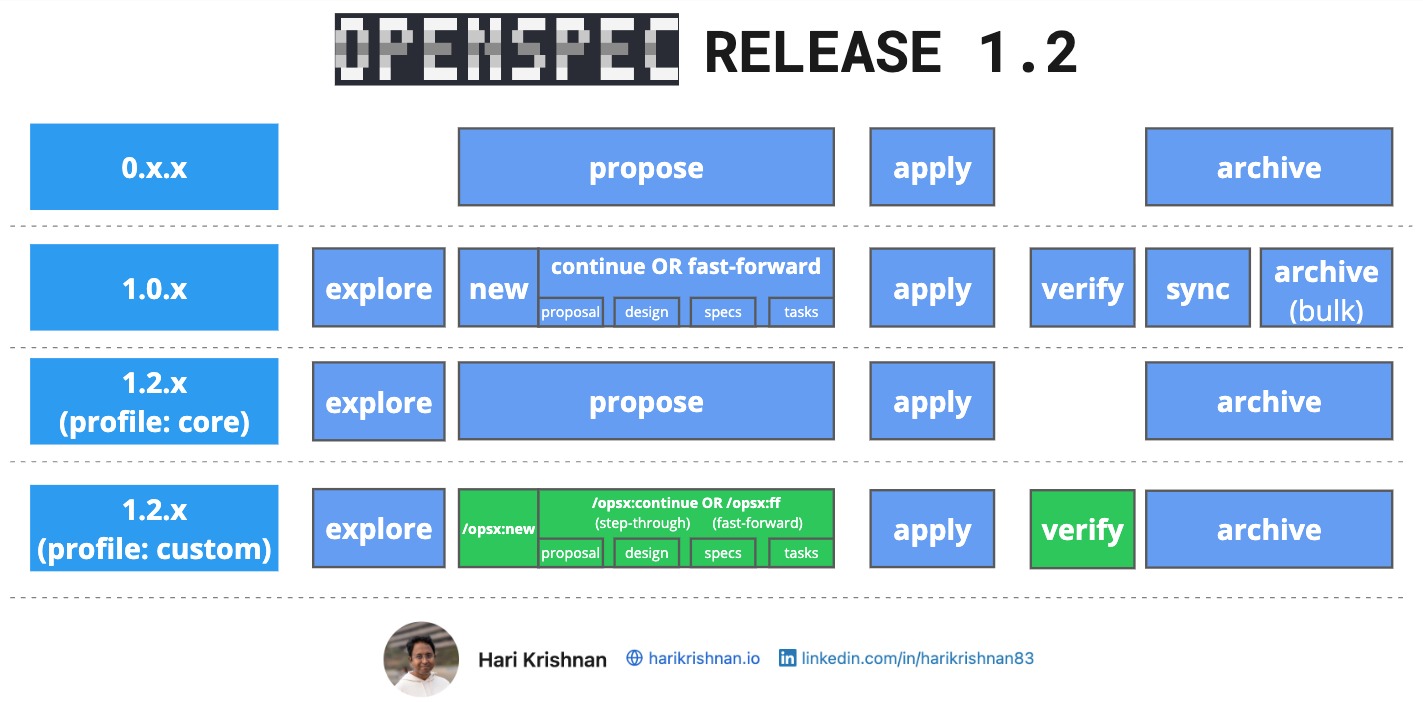
OpenSpec 1.2 is officially released.
The 1.2 release focuses on balancing workflow simplicity which we saw in 0.x releases with advanced customization introduced in release 1.0.
OpenSpec Profiles and Schemas
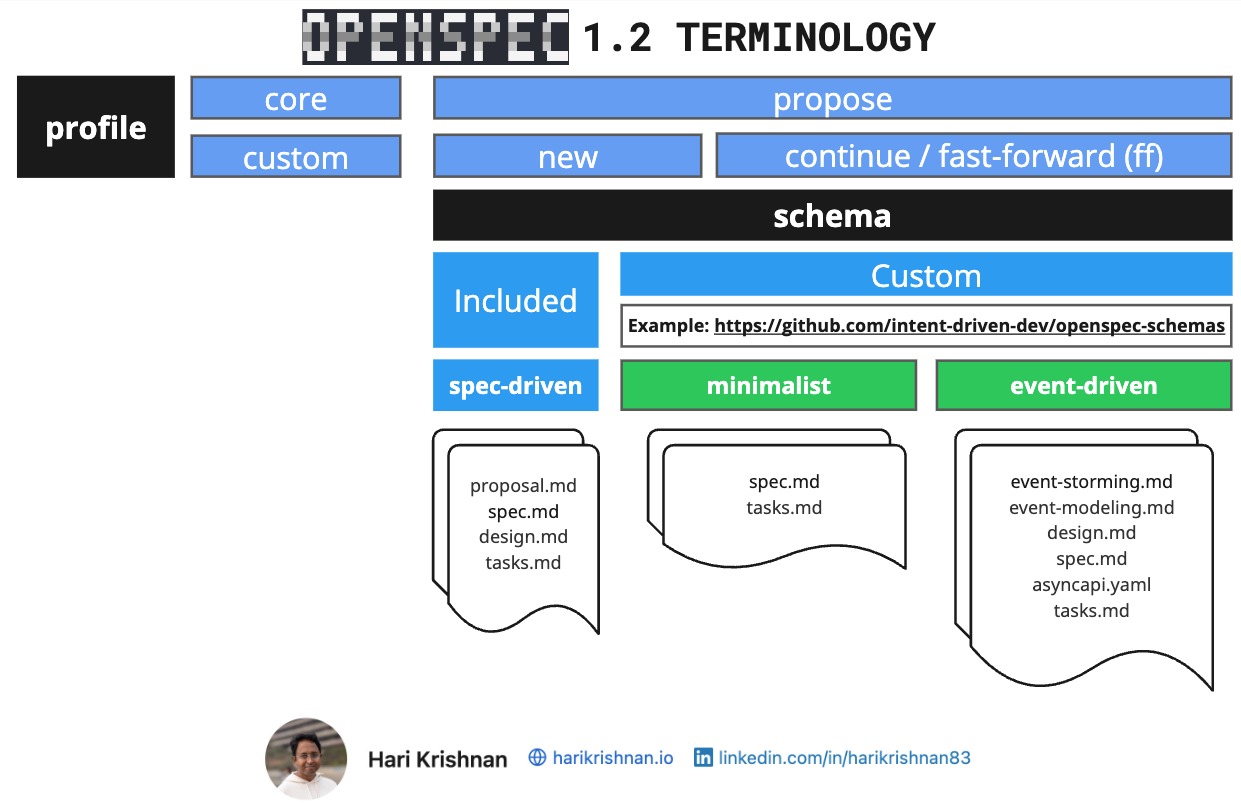
The primary addition in 1.2 is profiles, which manage the command workflow.
Profiles
- Core Profile: This is the new default. It uses a simplified process: explore, propose, apply, and archive. The propose command behaves exactly like it did in the 0.x releases, generating all change proposal artifacts at once.
- Custom Profile: This profile provides access to advanced commands. It lets you step through proposal artifacts, such as “proposal.md”, “spec.md”, “design.md”, and “tasks.md”, using the continue command, or generate them all at once using fast-forward command.
Schemas
While profiles manage the workflow, schemas (introduced in version 1.0) control which artifacts are generated during the proposal phase. The default OpenSpec schema is “Spec-Driven” which generates “proposal.md”, “spec.md”, “design.md”, and “tasks.md”.
If you are interested in creating your own custom schemas, please have a look at my earlier post about “custom schemas”. And you can find my custom openspec-schemas on GitHub. Examples:
- Minimalist: Reduces output to strictly the spec and task artifacts.
- Event-Driven: Tailored for event-driven architectures, generating specialized artifacts including event storming, event modeling, and AsyncAPI specifications.
Customizability
While the 1.0 release introduced customizability, it also made the process quite granular to improve control. Release 1.2 seems to strike a good balance between keeping the basic workflow easy to adopt and retaining the customizability which is really important. This flexibility is essential for adoption at scale, which I have covered in detail in my recent InfoQ article about “Spec-Driven Development – Adoption at Enterprise Scale”.